“If you thought unnesting was the difficult part, you’re in for a surprise.”
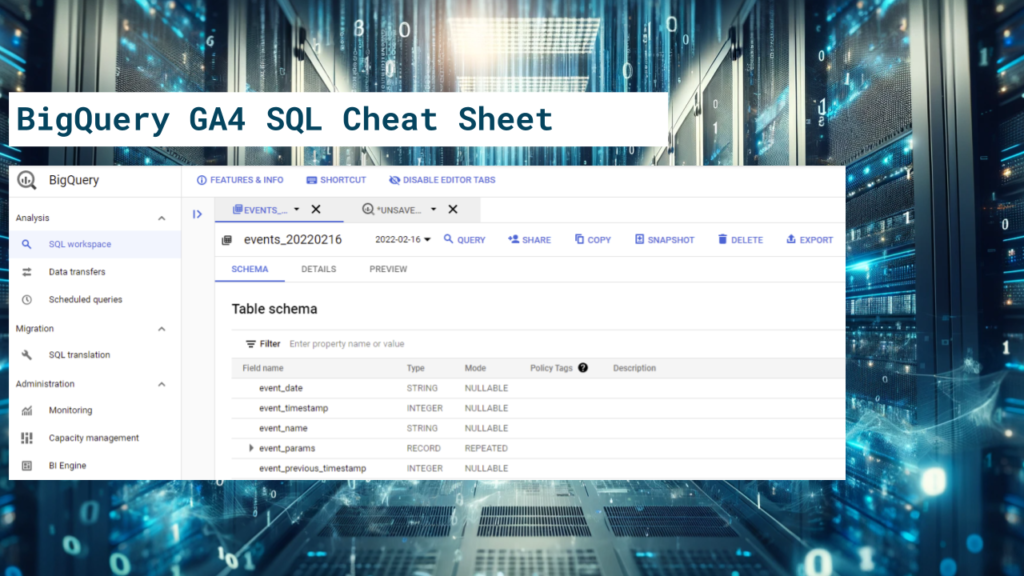
The GA4 BigQuery event export is notoriously difficult to query, and still is in 2026. But why?
Here are a few things:
- The “raw” event data comes in up to three exports: daily (arriving at a random time of day), fresh (GA360), and intraday. Even for 360 clients, the free daily export is still the best version of the data once the previous day’s export has completed.
- The sessionization (of e.g., traffic sources) is poor and breaks when the day changes.
- The key identifiers are stored inside nested event parameters (ga_session_id) or are not sessionized (user_id)
- Key data fields, such as the page and landing page URLs, are not easily accessible.
The list goes on with a bunch of smaller “gotchas” that you just need to be aware of. As a result, every proper GA4 data pipeline starts by addressing these boilerplate fixes, which can add potentially hundreds of lines of SQL code, before even getting into the business problems.
And yes, the data comes in with nested event parameters and sub-nested item parameters, but that’s not the real issue. The nesting of parameters is a clever way of keeping the schema clean. The actual issue is that many of the key data fields are just dumped into the schema without a thought of how the data will be consumed.
But what if you could have access to a proper GA4 event table, not just data dumps? That is the core idea behind ga4-export-fixer.
ga4-export-fixer package
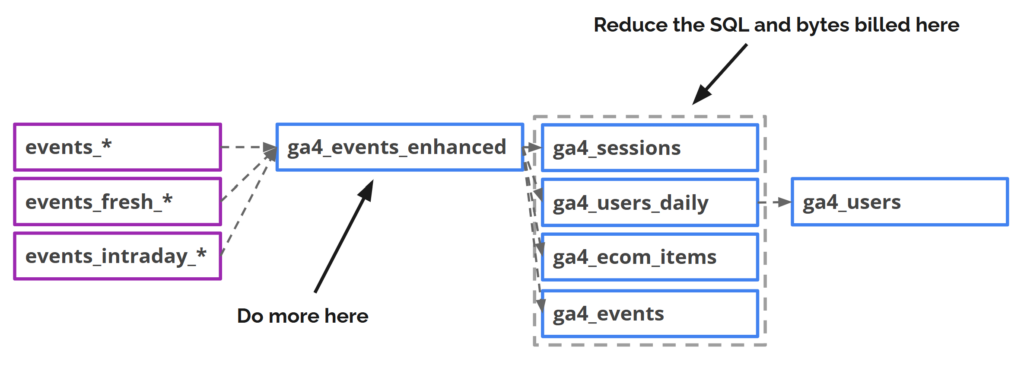
Ga4-export-fixer is an NPM package for Dataform, designed to make the transformation from raw data into insights and activation easier. Instead of always starting from scratch, the package provides a fixed event table that lets you skip the boilerplate and gives you a head start on using the data to solve your business problems.
These are the main areas that the package will help you with:
1. Incremental updates
You can set the ga4_events_enhanced table to update as frequently as you like. The incremental pre-operations make sure that the table has the best and most up-to-date data after every refresh.
With all available event exports included, the package queries the export tables in this priority order:
- Daily: Always preferred when available
- Fresh (GA360): Included for days not yet covered by the daily export
- Intraday: Included only when it doesn’t overlap with the preceding exports
The table tracks which rows have the data_is_final status set to true. The rows that are not yet “final” will eventually get replaced by the final version. That’s how you always have the best and most recent data available.
The incremental updates work with any combination of the three available export types enabled.
2. Fixes
These are the things that almost every setup benefits from, including fixes like:
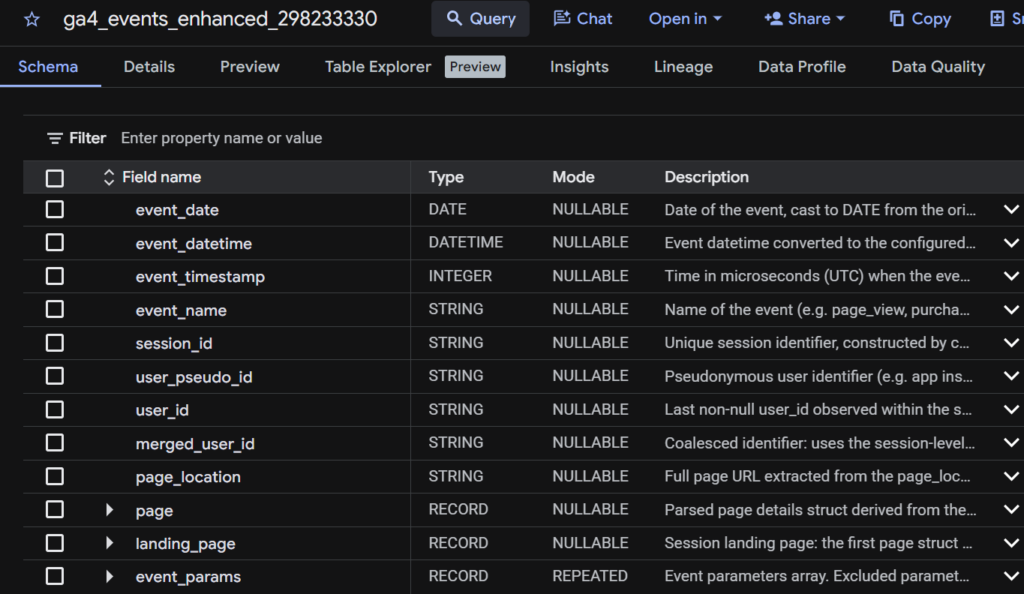
- Parsing page URL components from page_location
- Creating a unique session_id column
- Sessionizing the user_id column
- Sessionizing the selected event_params as session_params
- Detecting the session landing page
- Using a more accurate custom timestamp
- Ecommerce item-list attribution
- Including AI agent-friendly column descriptions in the schema
And more.
3. Customization
The package’s configuration object allows you to customize the table for your business needs. Pretty much every transformation that the package does is configurable.
Additionally, the package supports:
- Data enrichments
- A controlled way to enrich the data with external sources, such as product data from the product master, content data from the CMS, and custom session traffic source attribution.
- Custom processing steps
- Add custom SQL CTEs to further configure the table for use cases not otherwise supported.
4. Downstream modeled tables
Everything that the ga4_events_enhanced table does is designed to help you build downstream modeled tables more efficiently. These are the tables you use as data sources for your dashboards and for integrations with external systems.
The package’s tools, such as the incremental pre-operation logic, are also available for downstream table use. Downstream aggregate table templates are on the roadmap.
More
See the GitHub page for the full list of the package’s features.
What’s an NPM package?
Dataform itself is a Node.js application, with the Dataform Core being an NPM package that you update to the latest version periodically.
The NPM package registry, on the other hand, is a widely used way to import external libraries into Node.js-based web applications. However, for some reason, it’s still very much underutilized in the Dataform ecosystem.
Importing the ga4-export-fixer package
The package is imported the same way as any other publicly available NPM package. You include the package in your Dataform repository’s package.json and specify the version you want to use.
{
    "dependencies": {
        "@dataform/core": "3.0.56",
        "ga4-export-fixer": "0.9.0"
    }
}
You should always specify the version number explicitly when importing packages. The same applies to the Dataform Core package. Avoid using “latest” or a wildcard. New package versions may include breaking changes that can cause your pipeline to fail silently.
If your repository doesn’t include a package.json file, that’s no problem. Just follow the instructions and create one.
After you’ve updated the package.json file, click “Install Packages” to make the ga4-export-fixer package available in your dev workspace.
Basic implementation using package defaults
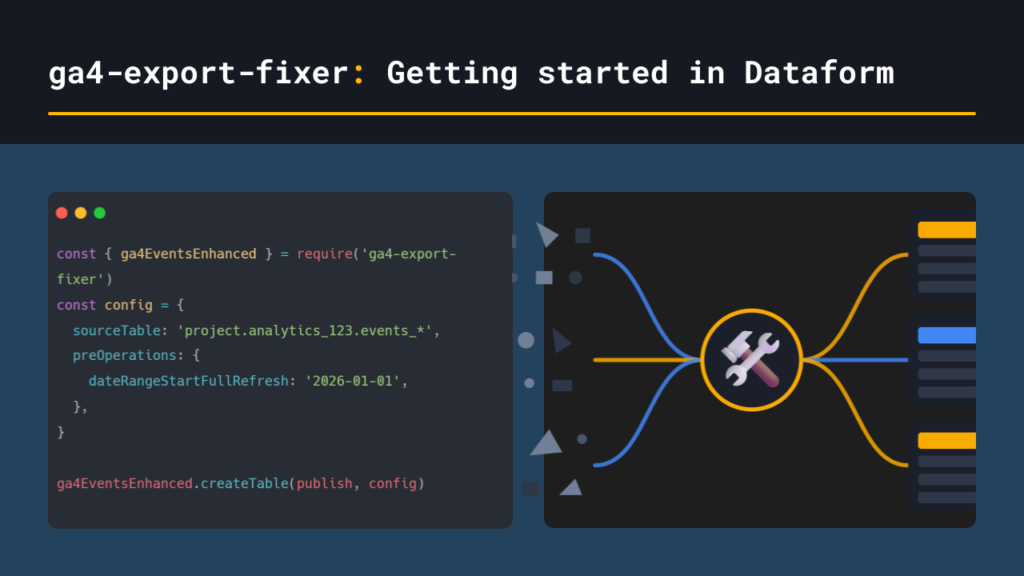
The basic setup, using the default configuration, is quite simple. You create a new .JS file that configures the ga4-export-fixer package to point to the correct GA4 export dataset. The package will then create the ga4_events_enhanced table using the selected event exports. This includes intraday and daily by default.
const { ga4EventsEnhanced } = require('ga4-export-fixer');

const config = {
  // using hard-coded GA4 export path
  sourceTable: 'project.dataset.events_*',
  preOperations: {
    // optional, limits the date range instead of including all data
    dateRangeStartFullRefresh: '2026-01-01'
  }
};

ga4EventsEnhanced.createTable(publish, config);
Run the action with full refresh first to initialize the table. After that, you can commit and push your changes in Dataform, create a new release compilation, and set up a daily workflow that keeps the table up to date.
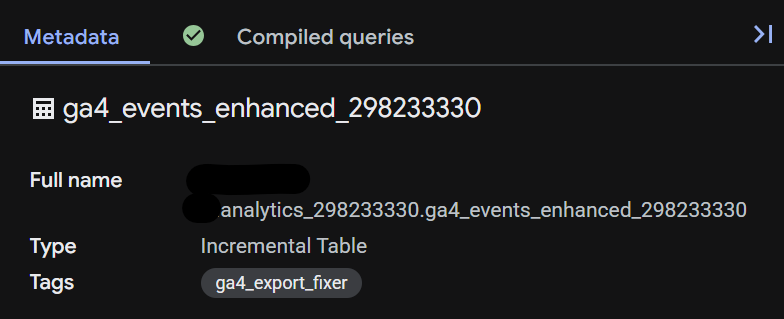
You now have a ga4_events_enhanced table that updates incrementally. With the default settings, the table will be added to your GA4 export dataset in BigQuery.
Why use a .JS file?
Most of the Dataform development work typically happens in .SQLX files. SQLX is good for writing new SQL. However, the .JS file type is the only option that allows you to define the entire Dataform action (config, pre-operations, SQL, post-operations) programmatically. In other words, it enables doing everything with just one configuration and function call.
Customized setup: blog site
This example extends the basic setup with customizations and enrichments tailored to blog site use cases.
const { ga4EventsEnhanced } = require('ga4-export-fixer');

const config = {
  // using hard-coded GA4 export path
  sourceTable: '`tanelytics-tf.analytics_298233330.events_*`',
  // used for testing
  test: false,
  testConfig: {
    dateRangeStart: 'current_date()-2',
    dateRangeEnd: 'current_date()',
  },
  // use if you want to override the default dataform table configuration
  // dataformTableConfig: {
  //   schema: 'ga4',
  //   name: 'ga4_events_enhanced_blog',
  // },
  preOperations: {
    // get the last 2 years on full refresh
    dateRangeStartFullRefresh: 'date_sub(current_date(), interval 2 year)'
  },
  includedExportTypes: {
    daily: true,
    fresh: false, // does not read the fresh (360) export tables
    intraday: true
  },
  // a more accurate timestamp read from an event parameter
  customTimestampParam: 'custom_event_timestamp',
  // creates a datetime field in the local timezone
  timezone: 'Europe/Helsinki',
  // not needed columns
  excludedColumns: [
    'app_info',
    'publisher',
    'platform',
  ],
  // not needed events
  excludedEvents: [
    'session_start',
    'first_visit'
  ],
  // transform to session-level
  sessionParams: [
    'user_agent',
    'recaptcha_score'
  ],
  // promote as columns
  eventParamsToColumns: [
    {name: 'page_type', type: 'string'},
    {name: 'page_post_category', type: 'string'},
    {name: 'page_post_tags', type: 'string'},
    {name: 'page_post_date', type: 'string'},
  ],
  // event params that can be left out
  excludedEventParams: [
    // included as their own columns as well
    'batch_ordering_id',
    'batch_page_id',
    // campaign params, found in collected_traffic_source
    'source',
    'medium',
    'campaign',
    'term',
  ],
  // enrich the event table with custom session traffic source attribution
  enrichments: [
    {
      name: 'custom_attribution',
      source: {schema: 'ga4', name: 'ga4_session_source_nd'},
      joinKey: ['session_id'],
      columns: [
        'source',
        'medium',
        'campaign'
      ],
      dedupe: true,
    },
  ],
};

ga4EventsEnhanced.createTable(publish, config);
The above example adds quite a bit of customization on top of the defaults. Some notable changes:
- A custom timestamp column is configured. The reason is that the default event_timestamp column is shared across all events in the same batch, making it inaccurate.
- The export schema includes many columns, events, and event parameters that are not useful. You can exclude them to make the table a bit lighter.
- A few event parameters are promoted to the session level, capturing their last value for the session.
- Some of the most used event parameters are promoted to columns.
- An enrichment is included to bring in custom attribution data from an external table.
Creating a downstream modeled table
Typically, you would not use the ga4_events_enhanced table as the direct data source for dashboards. This is because the table size still reflects that of the original event export. However, with smaller sites, the event table itself will often be all you need.
Larger data volumes require you to optimize query performance and costs by developing different types of aggregations, each tailored to a specific use case. The aggregations typically include levels like these: session, transaction, item, and user.
As of now, the ga-export-fixer package does not include prebuilt modeled tables. However, it makes building them yourself significantly easier than starting from scratch, which is one of the package’s main guiding ideas. That’s why I encourage you to develop and build the modeled aggregate tables yourself. No one-size-fits-all solution can ever match your business’s every need out of the box.
Below is an example of how to create a session table on top of the ga4_events_enhanced table. This is likely the most common aggregation to start with.
config {
  type: "incremental",
  description: "GA4 sessions table",
  schema: "ga4_export_fixer",
  bigquery: {
    partitionBy: "event_date",
    clusterBy: ['session_id', 'data_is_final'],
  },
  // include the same ga4_export_fixer tag that the event table has
  tags: ['ga4_export_fixer']
}

js {
  const { setPreOperations, helpers } = require('ga4-export-fixer');

  // define the configuration for the pre-operations and date filters
  const config = {
    self: self(),
    incremental: incremental(),
    test: false,
    testConfig: {
        dateRangeStart: 'current_date()-1',
        dateRangeEnd: 'current_date()',
    },
    // same options available for preOperations as in the event table
    // https://github.com/tanelytics/ga4-export-fixer#preOperations
    preOperations: {
        // dateRangeStartFullRefresh: 'date(2000, 1, 1)',
        // dateRangeEnd: 'current_date()',
        // incrementalStartOverride: undefined,
        // incrementalEndOverride: undefined,
        // numberOfDaysToProcess: undefined
    },
  };
}

select
  event_date,
  session_id,
  user_pseudo_id,
  user_id,
  -- the user_id field with a fallback to user_pseudo_id if null
  merged_user_id,
  any_value(session_traffic_source_last_click.cross_channel_campaign) as session_traffic_source,
  any_value(landing_page) as landing_page,
  countif(event_name = 'page_view') as page_views,
  sum(
    ifnull(${helpers.unnestEventParam('engagement_time_msec', 'int')}, 0)
  ) as session_engagement_time_msec,
  current_datetime() as row_inserted_timestamp,
  -- include the row's data_is_final status in the aggregation
  min(data_is_final) as data_is_final
from
  -- reference the enhanced events table created earlier
  ${ref('ga4_events_enhanced_298233330')}
where
  -- use the date range filter helper
  -- reads the start and end dates from the same configuration that the pre-operations use
  ${helpers.incrementalDateFilter(config)}
group by
  event_date,
  session_id,
  user_pseudo_id,
  user_id,
  merged_user_id

pre_operations {
  -- the pre-operations needed for incremental refresh
  ${setPreOperations(config)}
}
The query example is probably the best way of explaining the value of the package:
- Managing incremental updates is easy using the package’s templates. The table’s freshness will match that of the ga4_events_enhanced table.
- Because most of the fixes and enhancements are applied upstream, the aggregation query itself is clear to read and understand.
Some further notes:
- Your aggregations should always carry the data_is_final flag. This flag ensures that the final version will eventually replace rows based on incomplete export data.
- You can use any_value() on fields that are already sessionized by the events table.
Further tips for improving your Dataform development workflow
1. Adjust the update schedule of the ga4_events_enhanced table
Here are a few options to consider for the incremental updates:
- Configure an early-morning CRON schedule to ensure data from the previous day is always available at the start of the business day, even if only intraday data is available.
- Set up a log-based trigger to get the daily export data as soon as it arrives. See this earlier post, for example.
- Make the CRON trigger more frequent, for example, hourly, to get closer to real-time data availability.
2. Try out a proper IDE like VS Code
The Google Cloud interface for Dataform is okay. However, it lacks many things that a good IDE provides, most notably access to proper AI assistance.
At the time of writing, Google Cloud Dataform has a built-in AI Agent. However, its capabilities are nowhere near those of Claude Code or the others.
Using an IDE like VS Code together with the Dataform CLI lets you tap into the full benefits of agentic coding assistants in your analytics engineering work as well.
If you decide to go with VS Code, I recommend trying out the Dataform Tools extension. The extension brings similar query compilation and workflow execution views to VS Code that you’re used to having in the cloud Dataform editor.
3. Investigate the other available package features
This post serves as a getting-started tutorial, and does not cover everything the package does. See the GitHub repository for more information on all the included features. It’s also worth checking the releases section now and then for new feature releases.
Comments and feedback
Are you using the package? Please let me know what you think by commenting here. I’m interested in hearing which aspects of the package feel nice and easy, and what should be improved for a better developer experience.
Found the package useful? Please consider giving it a star ⭐ on GitHub. 🙏
Found a bug? Please submit an issue on GitHub.